

AI Estimating App: Tender to Quotation · AI Solutions
Anu IntDec Studio
Anu IntDec is an interior and facade contractor in Sonepat, Haryana, founded in 1988 and incorporated in 2000. It fabricates aluminium in its own workshop and installs partitions, glazing, ACP cladding, false ceilings, flooring and blinds for hospitals, schools, factories, hotels and showrooms across Delhi-NCR and North India. We built Anu IntDec Studio, the company's estimating app: it reads a tender, measures the drawings, builds the bill of quantities and produces a priced quotation, with a person approving each step.
Built with
- AI document reading
- AI drawing take-off
- Web application
- PDF quotation generation
- Excel import and export
- Google and Microsoft sign-in
Expertise
- AI applications for estimating
- Document understanding
- Drawing measurement with human review
- Workflow design for small teams
- Quotation and pricing tools
- Role-based access
Verticals
- Interior and facade contracting
- Construction and fit-out
- Tender-driven businesses
For a fit-out contractor, every quotation starts with paperwork. A tender for a hospital block can run to forty pages or more, with the scope, closing date, earnest money deposit (EMD), payment terms, eligibility conditions and penalty clauses spread across it. Then someone has to measure the drawings: running feet of partition, square feet of ceiling and floor, the number of doors and windows. Those measurements become a bill of quantities (BOQ), the BOQ is priced from the company's rates, and the result is typed up as a quote.
At Anu IntDec that work fell to the directors, who also run the sites. The company was restarting after Covid with a smaller team, so every hour spent measuring a drawing was an hour away from a live job.
The brief was to cut the time from an RFQ landing in the inbox to a quotation going out, without handing pricing decisions to software. The directors needed to see where every number came from, change anything they disagreed with, and approve the quantities themselves before a client ever saw them.
We built the app around the six steps an estimator already follows: tender, drawing, take-off, BOQ, quote and send. A bar across the top of each screen shows which step a job is on, and each step hands its result to the next, so quantities measured from a drawing arrive in the quote without being typed again.
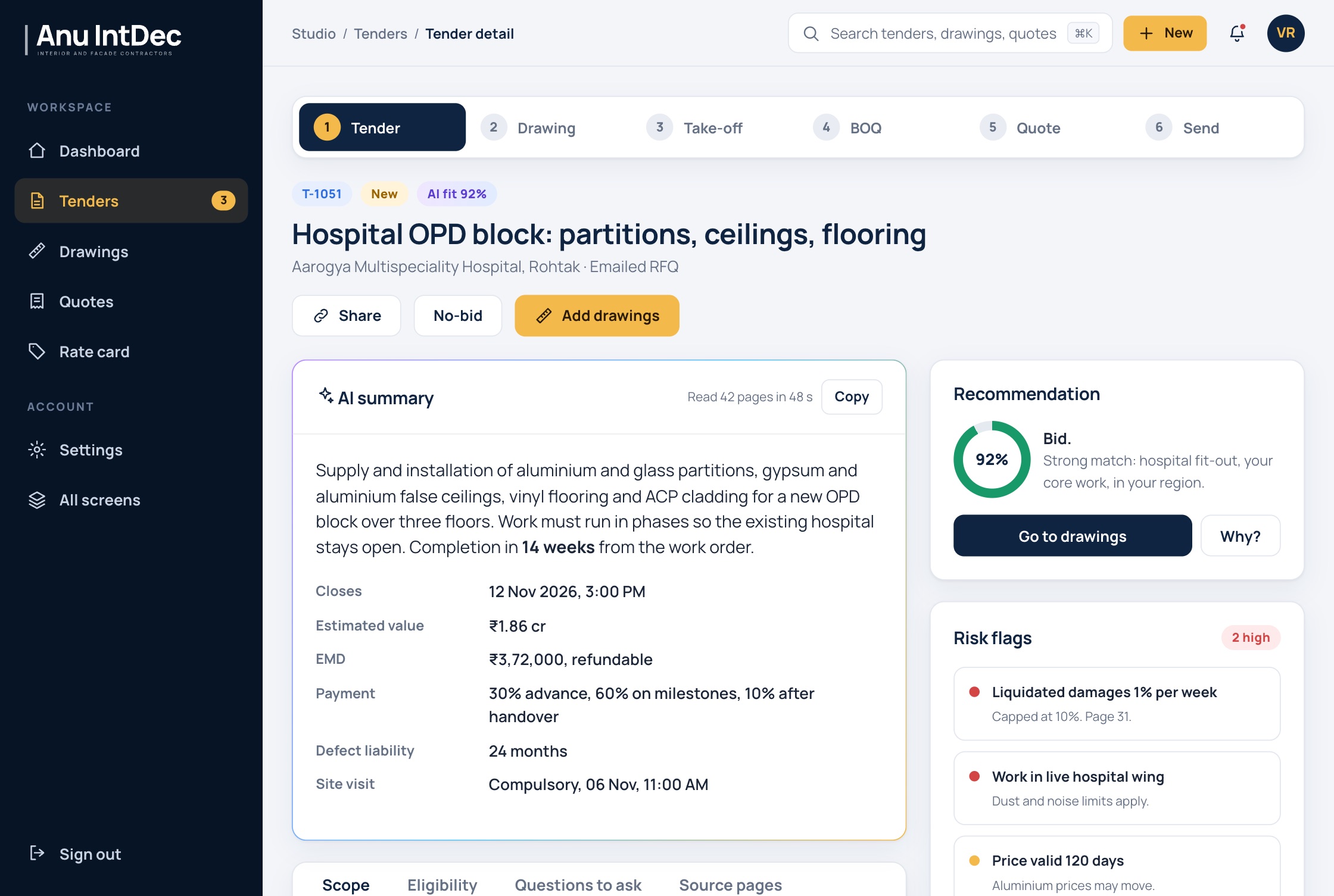
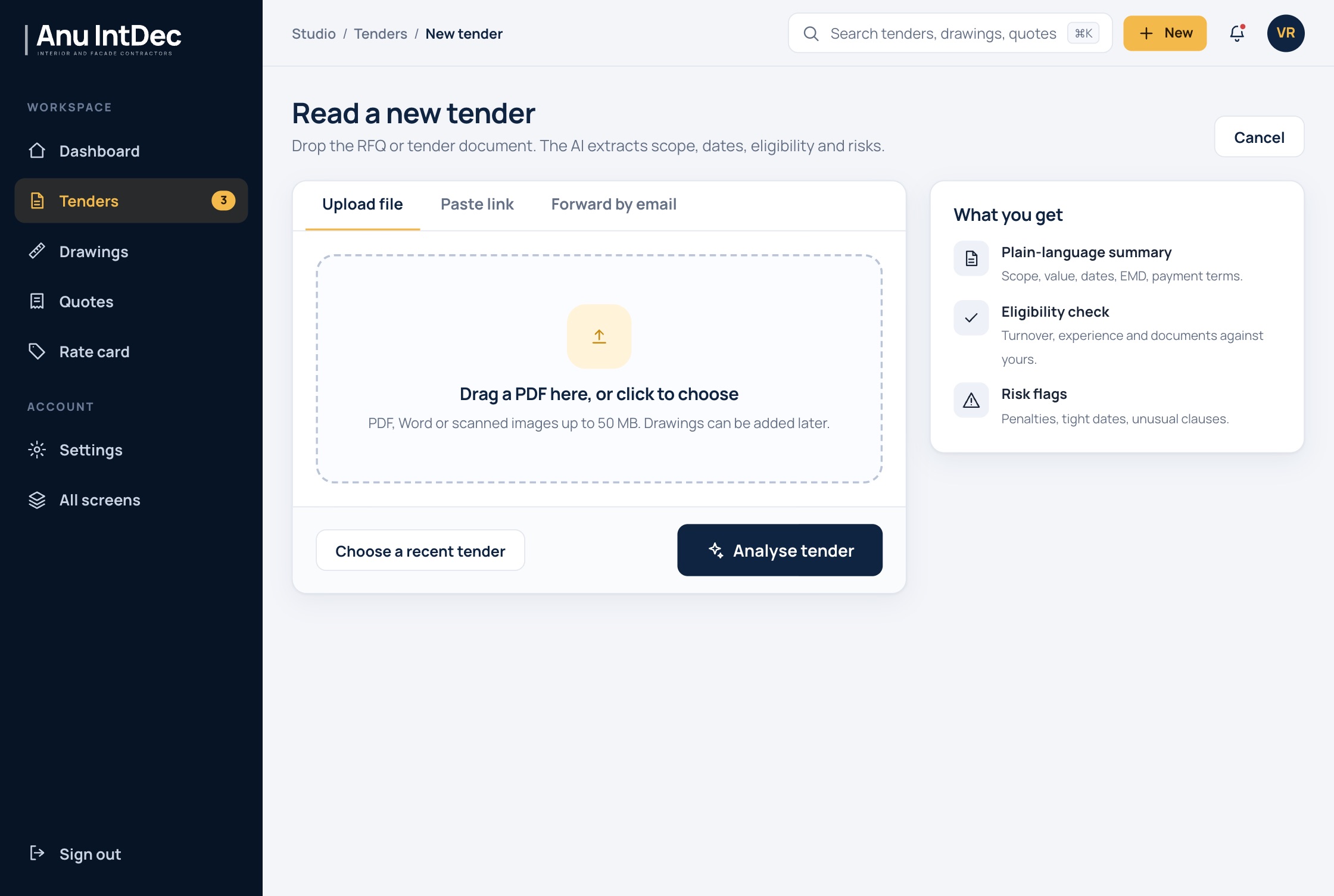
Reading the tender. The estimator uploads the tender as a PDF, Word file or scan, pastes a portal link, or forwards the RFQ email to the company's studio address. The app returns a plain-language summary of the scope, the closing date and time, estimated value, EMD, payment terms, defect liability period and site visit date. Each scope item is listed with the tender page it came from, so the estimator can check the source in one click.
The same step checks eligibility against the company's own documents, such as GST registration, turnover certificates and the record of similar work, and marks each condition as met, needing a check, or a gap. It flags risks such as liquidated damages, work inside a live hospital wing or a long price-validity period, drafts the clarification questions to send the client where clauses are unclear or contradict each other, and builds a bid checklist. It then recommends bid or no-bid, and a Why? button lists the reasons. A no-bid is recorded with its reason, so the team can look back at what it turned down.
Measuring the drawing. Drawings can be PDF, DWG, DXF or image files. The app reads the scale from the title block, or the estimator gives it a known length, and chooses which trades to measure: partitions, doors, windows, false ceilings, flooring, cladding or blinds. The take-off viewer shows the plan with each detected item colour-coded by trade, beside a list of items with quantities, the drawing reference each one came from and a confidence score.
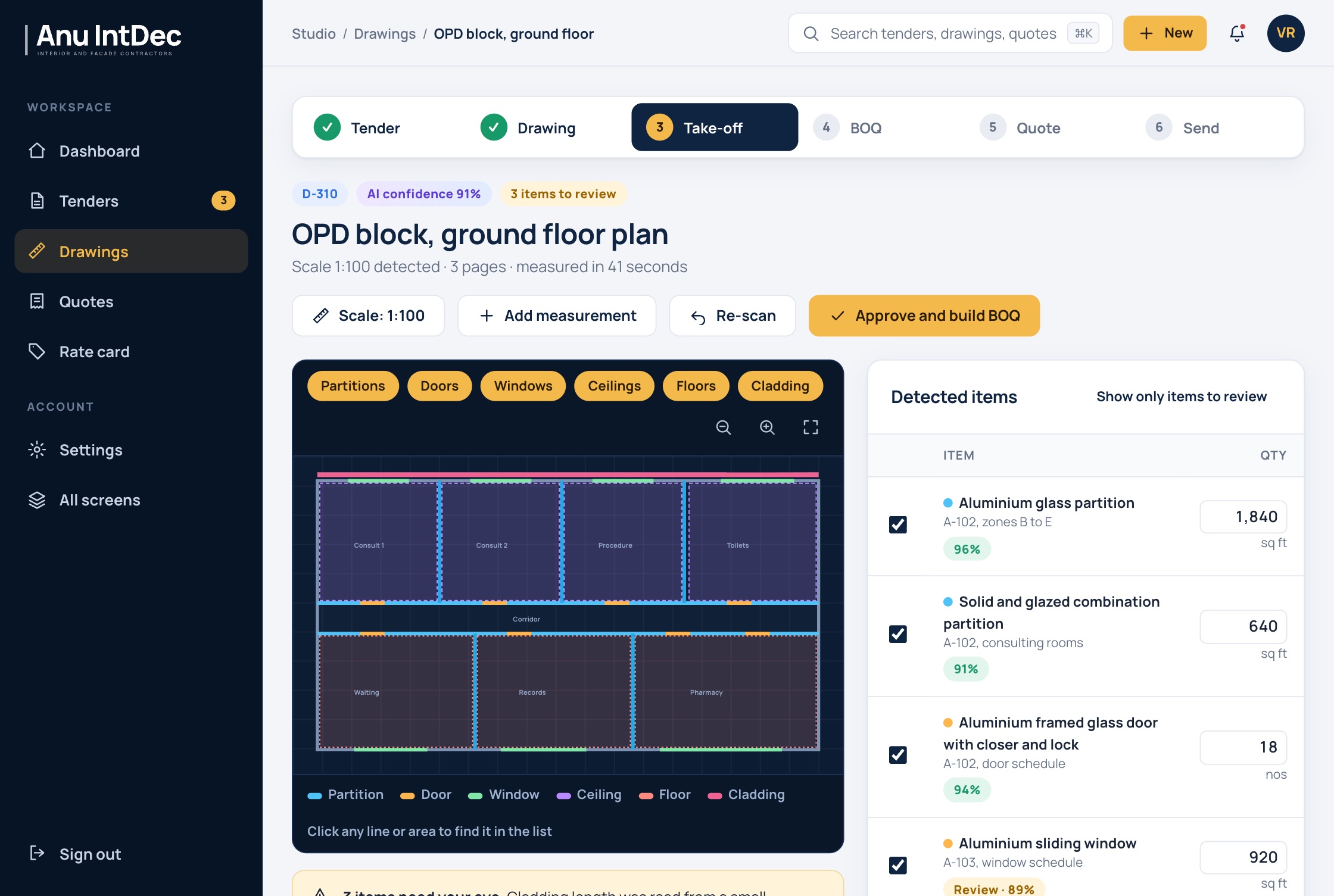
Items below the confidence threshold are marked in amber and can be shown on their own. The estimator can edit any quantity, add a manual measurement, re-scan, or confirm the scale, and nothing becomes a BOQ until a person presses Approve and build BOQ. The company sets the threshold, and a setting can make human approval of quantities compulsory for everyone.
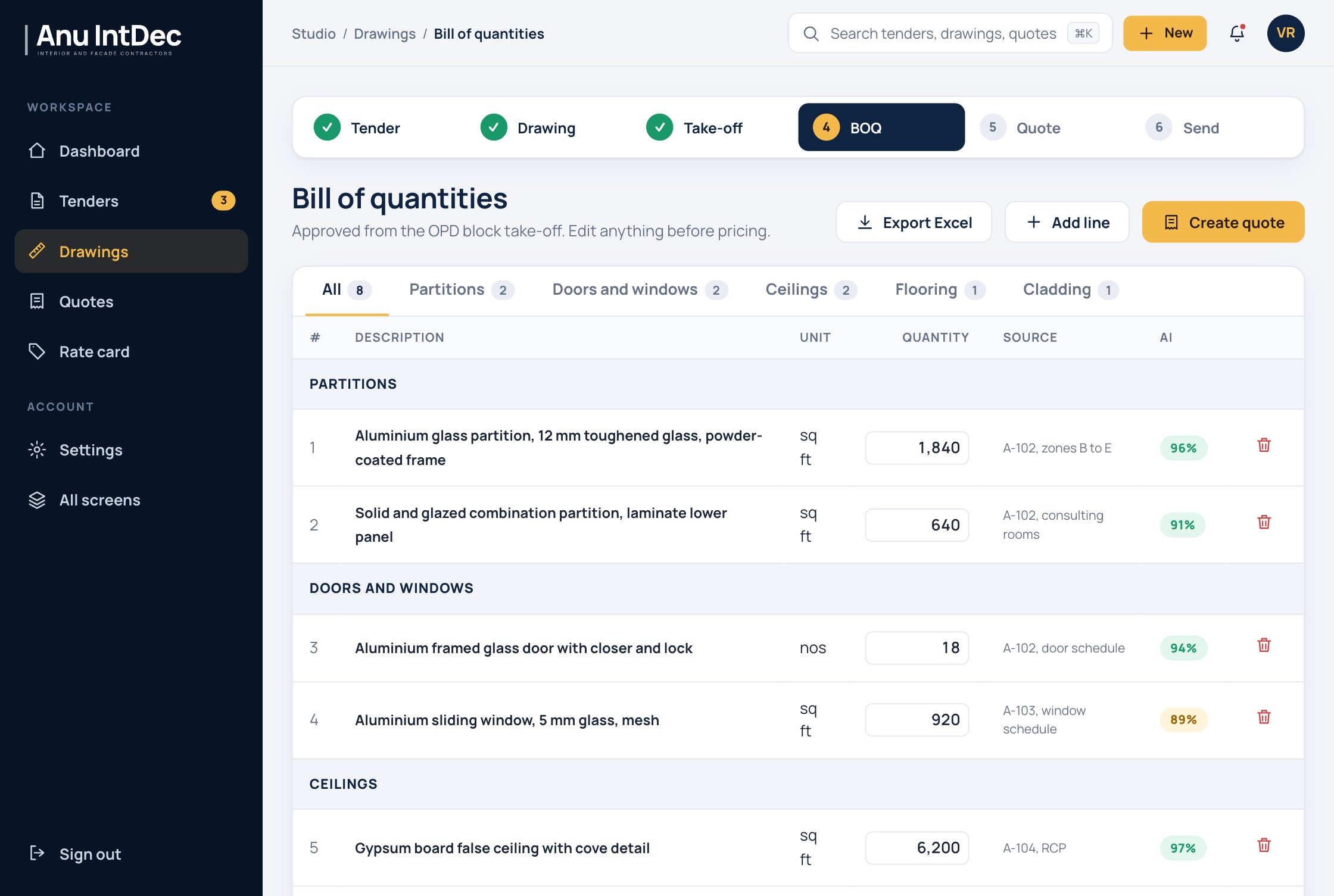
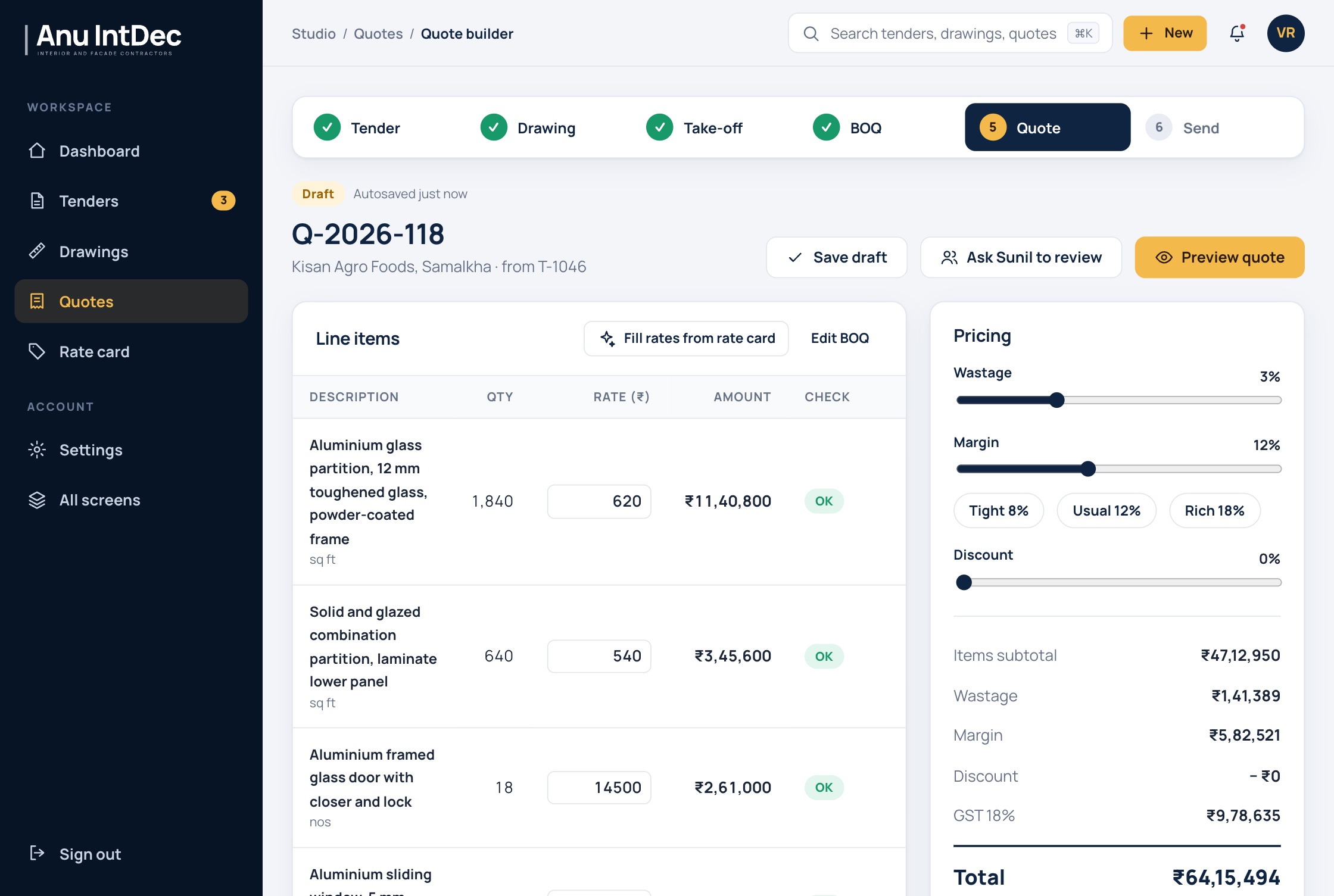
Pricing and sending. The BOQ is priced from the company's rate card, which lists aluminium sections, glass, ACP, ceiling boards, flooring and labour rates, can be imported from Excel, and warns when a category has not been reviewed for several weeks. In the quote builder the estimator sets wastage, margin and discount, the totals and 18% GST update as they go, and an AI check flags lines that look wrong before the quote leaves. Margin presets match the way the directors talk about a job: tight, usual or rich. A draft can be sent to the other director for review.
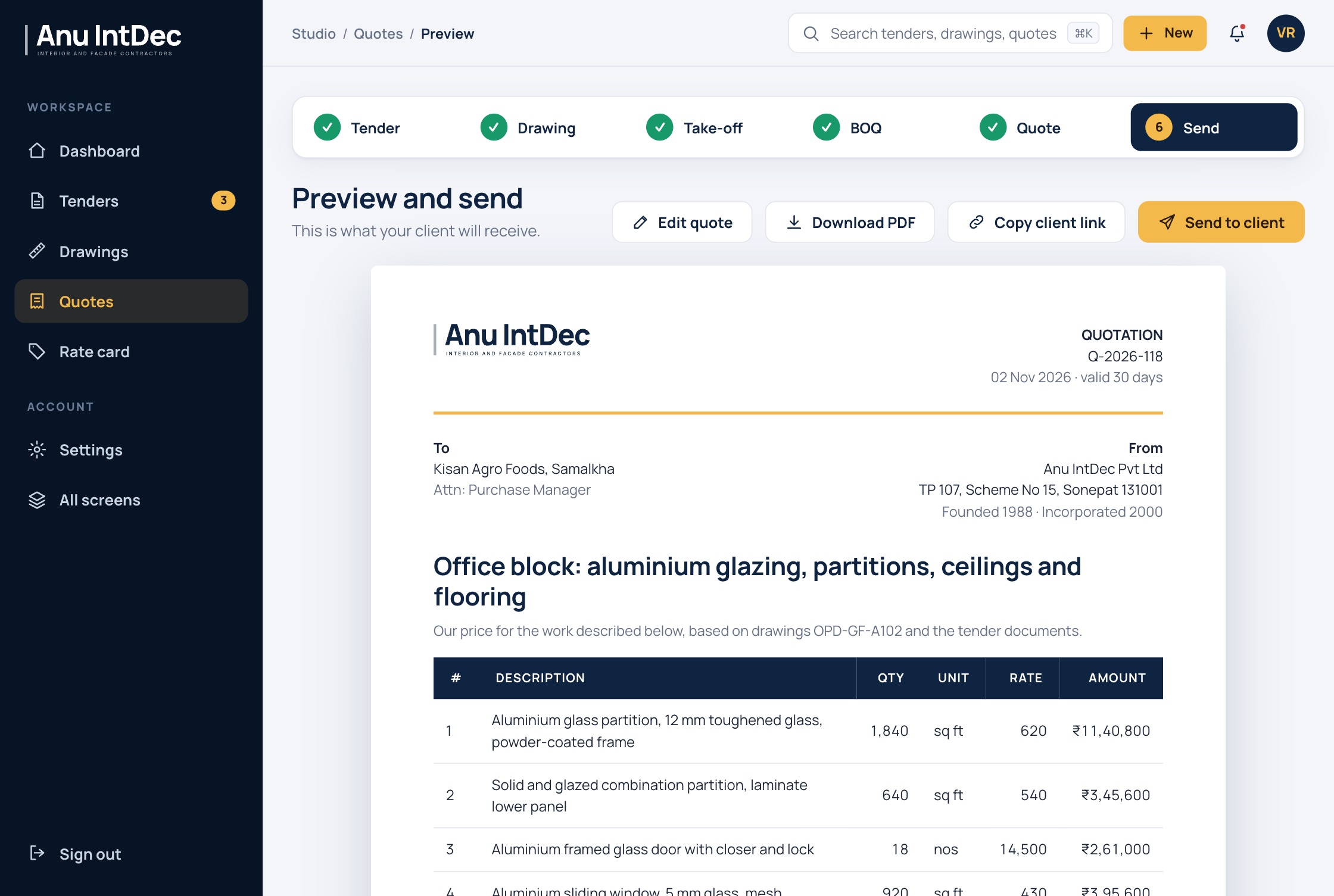
The preview shows exactly what the client receives: an Anu IntDec quotation with the company's addresses, the drawing and tender references, line items, terms and a signature block. It can be downloaded as a PDF with or without line rates, sent by email, or shared as a link, and the estimator is told when the client opens it.
Around the six steps, the app has a dashboard with the tender pipeline and closing dates, searchable lists of tenders, drawings and quotes, and settings for the team. Staff sign in with Google, Microsoft or a work email; new accounts are requested in the app and approved by a director, and roles separate estimators, site engineers, sales and directors. The company's tender documents stay private and can be excluded from model training.
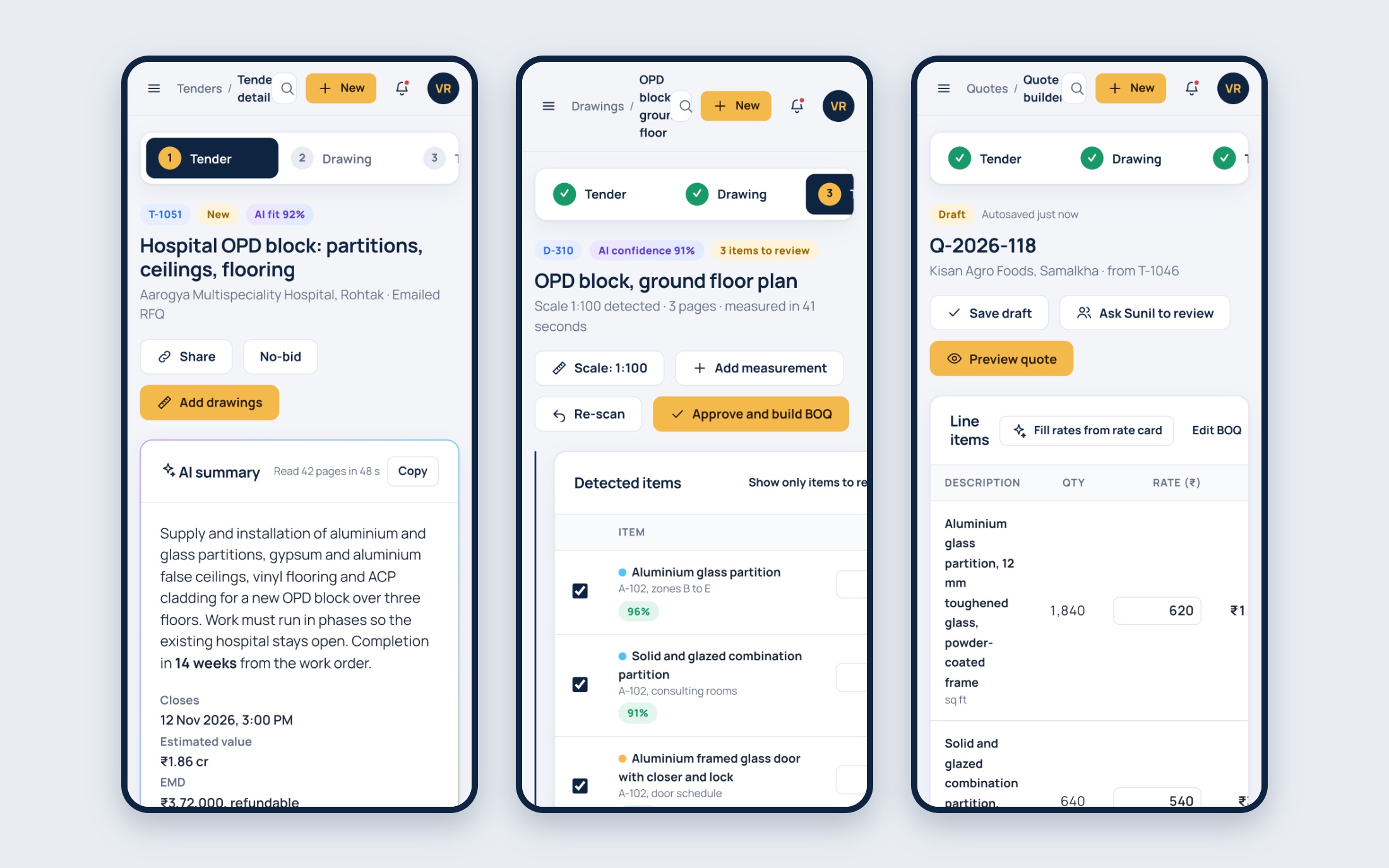
The screens in this story show sample tender data, not real client jobs.
Anu IntDec now goes from an RFQ to a priced quotation in one app. The tender is read and summarised before anyone opens the PDF, the drawing is measured by the app and checked by a person, and the quote is built from approved quantities and the company's own rates, so the same figure is never typed twice.
The directors stay in control of every number that reaches a client. Each quantity shows the drawing it came from and how confident the app was, nothing is priced until a person approves the take-off, and the bid or no-bid decision comes with its reasons. Their time goes into checking a take-off and deciding on a price.
We also built Anu IntDec's website. Read that project story.
Client feedback
What the client said
I have been in this business since 1988, and making a quotation was always the hardest part. Reading the full tender, measuring every drawing and working out the rates took days, and most of it I had to do myself.
Now the Studio reads the tender and tells me the dates, the EMD and the clauses I should worry about. It measures the drawing, and I only check the items it is not sure about. Every number shows where it came from, and nothing goes to the client until I approve it.
Our team uses the Studio regularly now, not only me. Work that used to wait for me moves ahead, and our quotations go out much quicker than before. It is simple to use. BizHues understood how we work and made the software fit our way, not the other way round.
Talk to an engineer
Like what you see?
Tell us about the system you need. We reply with questions and a suggested first step.